Disclosure: this page contains affiliate links. If you buy through them we may earn a commission at no extra cost to you.
Direct answer: Lock down a new VPS in about 15 minutes with five steps — create a non-root sudo user, switch to SSH key auth, enable a firewall (ufw), install fail2ban, and turn on automatic security updates — which together block roughly 95% of automated attacks.
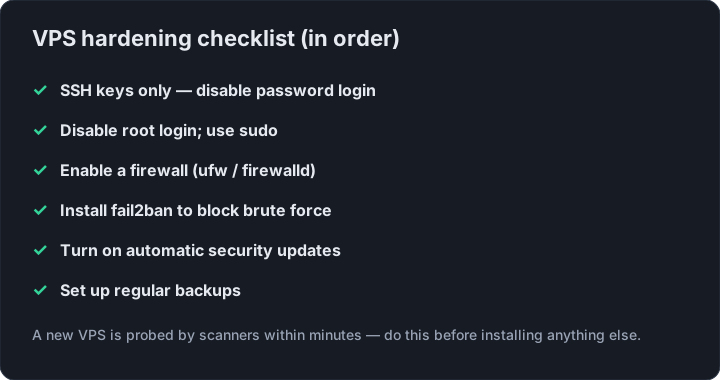
A new VPS is scanned for weak SSH passwords within minutes of coming online. Before you do anything else, spend 15 minutes on these five steps — they block ~95% of the automated attacks you’ll face.
1. Create a non-root user
Don’t log in as root. Create a normal user and give it sudo:
adduser deploy
usermod -aG sudo deploy
2. Switch to SSH key auth
From your laptop, copy your public key over, then disable password login:
ssh-copy-id deploy@YOUR_IP
In /etc/ssh/sshd_config set PasswordAuthentication no and PermitRootLogin no, then sudo systemctl restart ssh.
3. Turn on the firewall
On Ubuntu, ufw is the easiest:
sudo ufw allow OpenSSH
sudo ufw enable
Only open the ports your services actually need (80/443 for web, 51820/udp for WireGuard, etc.).
4. Install fail2ban
fail2ban watches logs and temporarily bans IPs that hammer your SSH port:
sudo apt install -y fail2ban
It ships with sane defaults — install it and move on.
5. Enable automatic security updates
sudo apt install -y unattended-upgrades
sudo dpkg-reconfigure --priority=low unattended-upgrades
Now your VPS patches itself while you sleep.
Which VPS to secure
All of this works on any Linux box. If you want a cheap one to practice on — or to run your first hardened server — a RackNerd VPS at ~$22/yr gives you full root and a dedicated IP to lock down.
FAQ
Q: How long does it take to secure a new VPS?
About 15 minutes for the five essential steps: non-root user, SSH keys, firewall, fail2ban, and automatic updates.
Q: Should I disable root login on my VPS?
Yes. Create a non-root user with sudo and set PermitRootLogin no in sshd_config to block the most common brute-force target.
Q: What firewall should I use on Ubuntu?
Use ufw. Run sudo ufw allow OpenSSH first, then sudo ufw enable, and only open ports your services actually need.
Q: Does fail2ban stop SSH brute force attacks?
Yes. fail2ban watches logs and temporarily bans IPs that repeatedly fail SSH login, and ships with sane defaults.
Bottom line: Secure a VPS before doing anything else — five quick steps block the vast majority of automated attacks.
Get a cheap VPS to harden