Disclosure: this page contains affiliate links. If you buy through them we may earn a commission at no extra cost to you.
Direct answer: For most Docker workloads, RackNerd’s 2 GB ($35.99/yr) or 4 GB ($59.99/yr) plans are the best cheap VPS, while Hostinger’s 8 GB KVM 2 is the pick for RAM-heavy stacks.
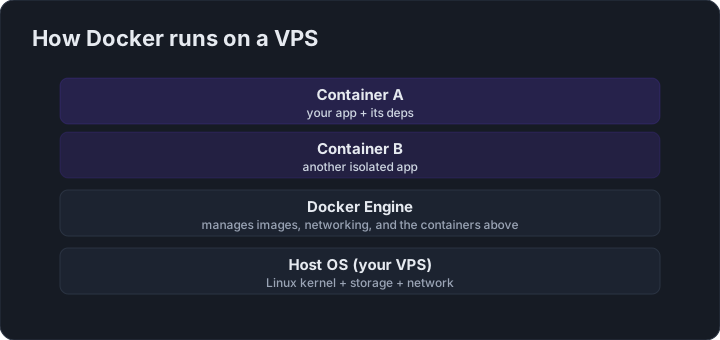
Docker is the default way to run apps on a VPS these days. The good news: Docker itself is lightweight. The catch: the containers you run aren’t — and RAM is usually the constraint on a budget box.
How much RAM do your containers need?
| Stack | Realistic RAM |
|---|---|
| 2–3 small containers (nginx, a bot, Watchtower) | 1–2 GB |
| Nextcloud / Gitea / Grafana + Prometheus | 2–3 GB |
| A few apps + a database + monitoring | 3–4 GB |
| Heavy microservices | 4 GB+ |
The pick: RackNerd 2GB or 4GB
RackNerd’s 2 GB ($35.99/yr) or 4 GB ($59.99/yr) plans are the sweet spot for Docker. KVM, full root, a dedicated IPv4, and enough RAM to run a real Compose stack — at a price that feels like a rounding error.
See RackNerd's Docker-friendly plansWhen to choose Hostinger
If your Docker workloads are RAM-hungry (multiple databases, Elasticsearch, build servers), Hostinger’s KVM 2 (8 GB, $8.99/mo intro) or KVM 4 (16 GB) gives you real headroom and faster NVMe storage.
FAQ
Q: How much RAM does a VPS need for Docker?
Docker itself is lightweight, but budget 1-2 GB for a few small containers, 2-4 GB for apps plus a database, and 4 GB+ for heavy microservices.
Q: What is the best cheap VPS for Docker?
RackNerd’s 2 GB plan at $35.99/yr or 4 GB plan at $59.99/yr is the sweet spot for most Docker Compose stacks.
Q: When should I use Hostinger for Docker?
Choose Hostinger’s KVM 2 with 8 GB RAM at $8.99/mo intro if you run RAM-hungry stacks like multiple databases or build servers.
Q: How do I avoid out-of-memory errors on a Docker VPS?
Add a swap file and use Docker Compose with your configs in Git so containers stay reproducible.
Bottom line: Docker on a budget points to RackNerd’s 2-4 GB plans, while RAM-heavy stacks call for Hostinger’s 8 GB+.
Check Hostinger's VPS plansThree Docker-on-a-VPS tips
- Add swap — a 2 GB swapfile prevents OOM kills on RAM-limited boxes.
- Use
docker composeand keep your configs in Git for easy rebuilds. - Run Watchtower (or scheduled pulls) to keep images updated — but pin major versions to avoid surprise breakage.